VALORIA ONLINE / FEATURE ATLAS

Discover
Valoria.

Your adventure.
Your rivals.
Your legacy.

Rediscover Madrigal with fast progression, deeper equipment development and more ways to compete. Hunt your next exceptional weapon, take on dungeons with friends, enter the arena or fight for your guild’s territory. Choose your own goals — with the tools to spend more time pursuing them.

Begin your journey
Your adventure begins in Madrigal.

01PvE

Turn your next session into progress.

Find your next dungeon, gather your party and know what you are working toward. Dungeon information brings requirements, cooldowns and possible boss drops into view, while Group Finder connects you with other adventurers. PvE Combos add momentum to farming; eligible weapons and suits develop their own mastery through combat.

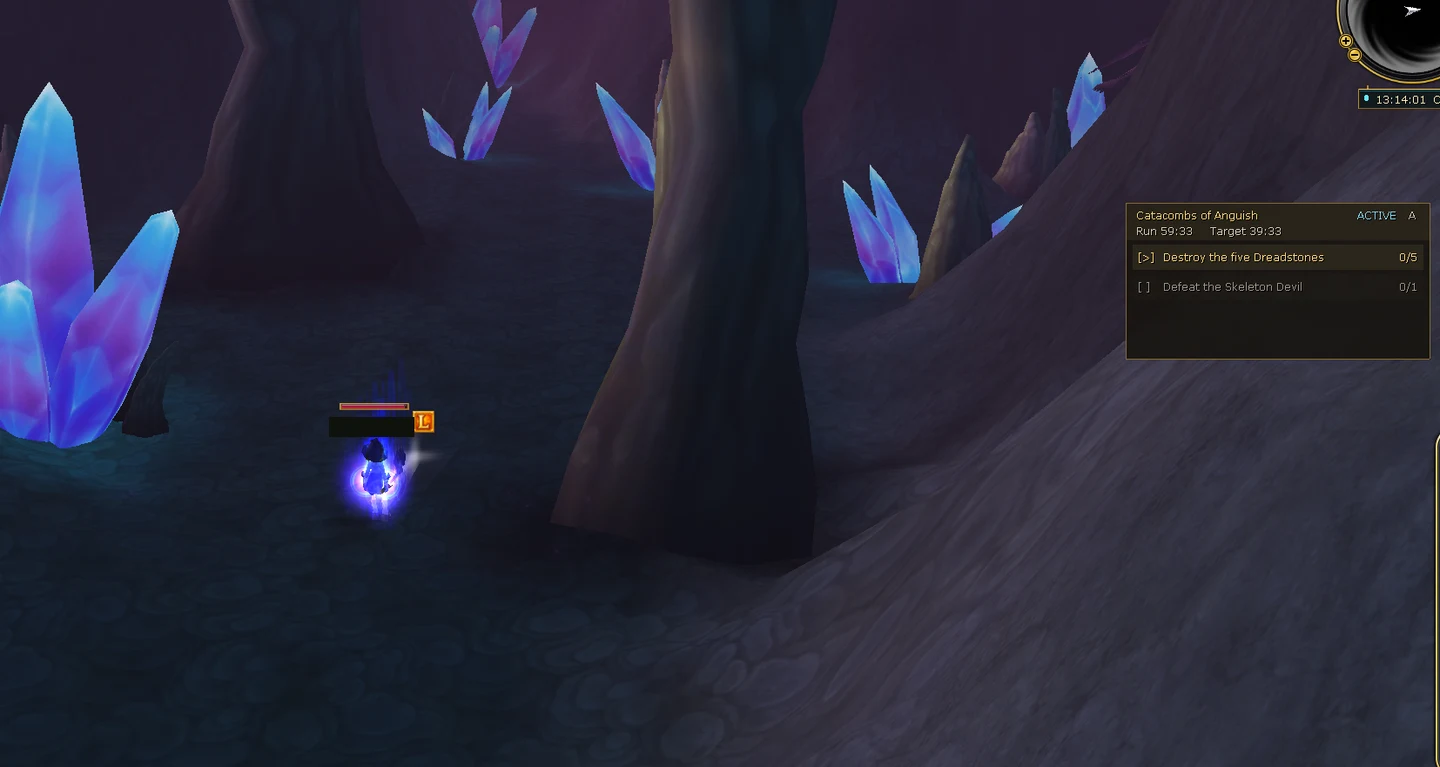
Through the crystal passages towards your next shared objective.
THE NEXT EXPEDITION

Not just in. Further, together.

From planning to the final boss: your run’s tools belong together.

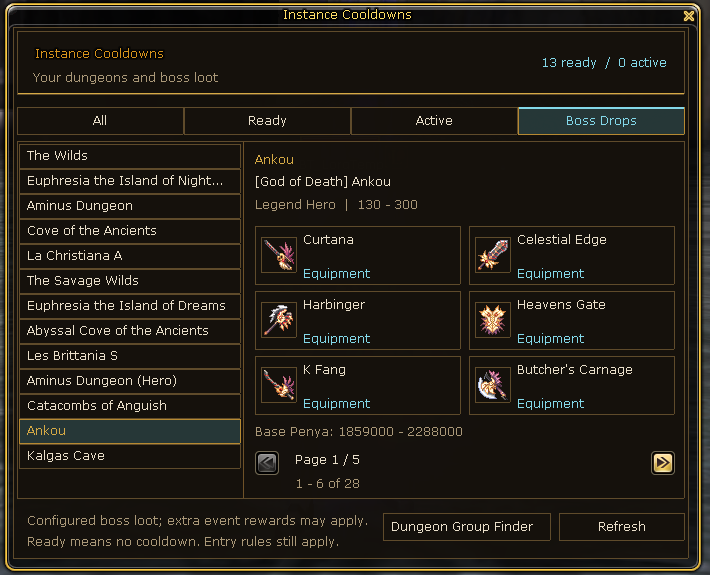
Instances, requirements and possible loot at a glance.

Instance Overview

Pick your next dungeon with readiness and possible loot in view.

Explore & short guide

Turn your next session into a clear goal. Instance Overview brings entry requirements, cooldowns and possible boss loot together. Choose your dungeon and plan the run with your party; a listed item is not a guaranteed drop.

Your short guide

  1. Choose an instance in the overview.
  2. Check entry requirements and possible loot.
  3. Plan the run with your party.
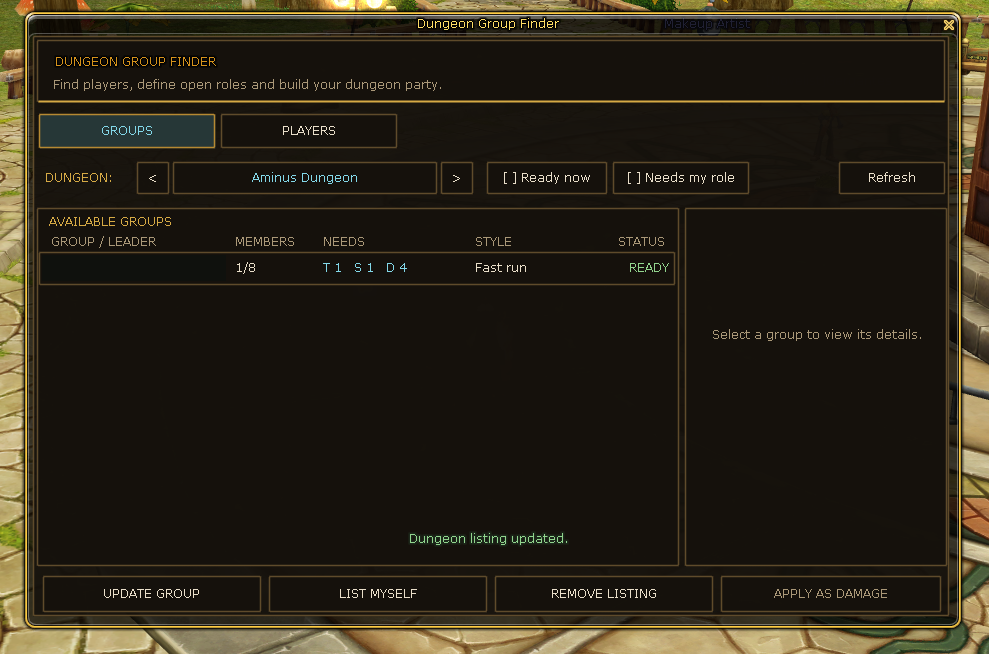
Find players and the right roles for your run.

Dungeon Group Finder

Find the players and roles your next run needs.

Explore & short guide

A good expedition starts with the right players. The dungeon party finder brings run objectives and wanted roles together.

Your short guide

  1. Look for a party for your dungeon.
  2. Compare wanted roles and requirements.
  3. Respond to a suitable listing or look for players yourself.
Through the crystal passages towards your next shared objective.

Dungeon Objectives HUD

Keep the objective of your run in sight.

Explore & short guide

The dungeon HUD keeps objectives and progress in view while you focus on the next fight.

Your short guide

  1. Keep your run’s objectives in view.
  2. Coordinate the next tasks with your party.
  3. Follow your progress through to completion.
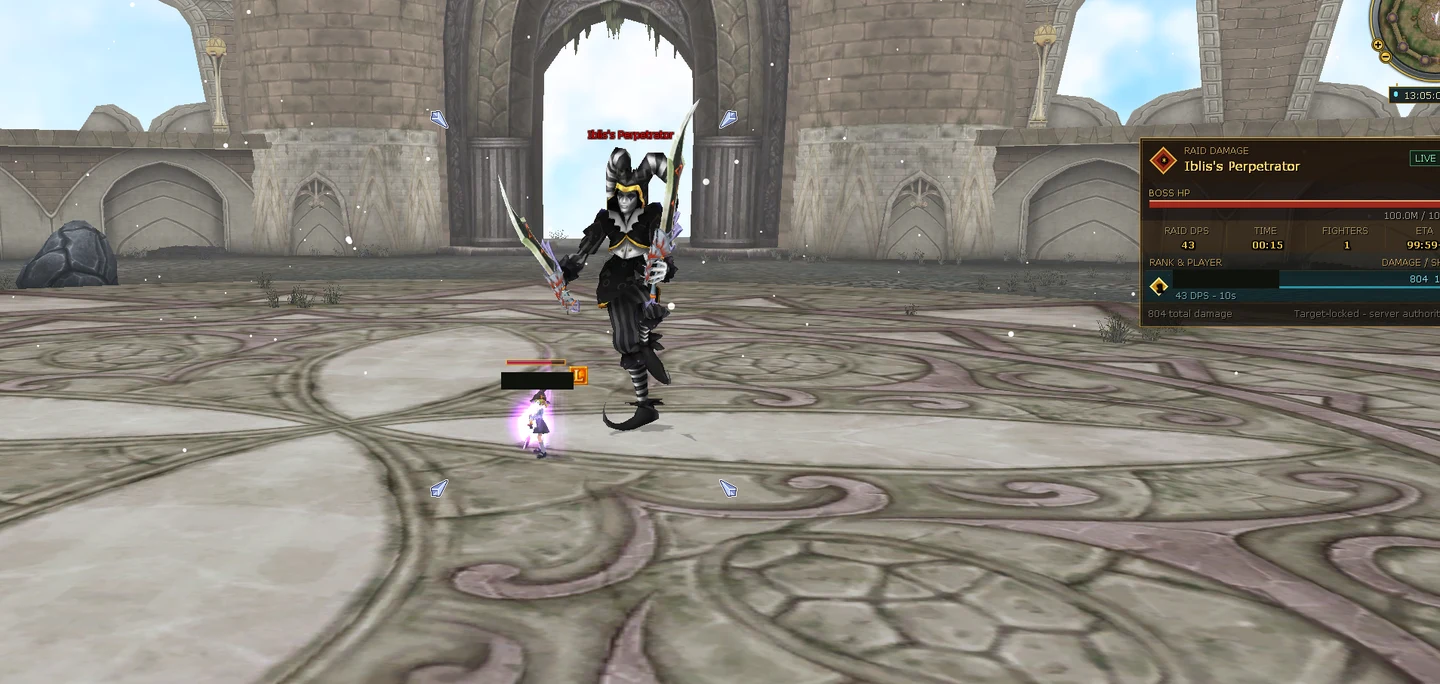
Boss health and your damage contribution in view.

Boss Damage HUD

See the boss’s health and your contribution to the fight.

Explore & short guide

Keep boss health and your own damage contribution in view, giving your fight context without switching between windows.

Your short guide

  1. Watch the HUD during the boss fight.
  2. Follow health and your damage contribution.
  3. Use the overview to inform your next decisions.
Keep your kill streak and combo timer in view.

PvE Combo and Box Farming

Turn a series of monster kills into a rhythm worth keeping.

Explore & short guide

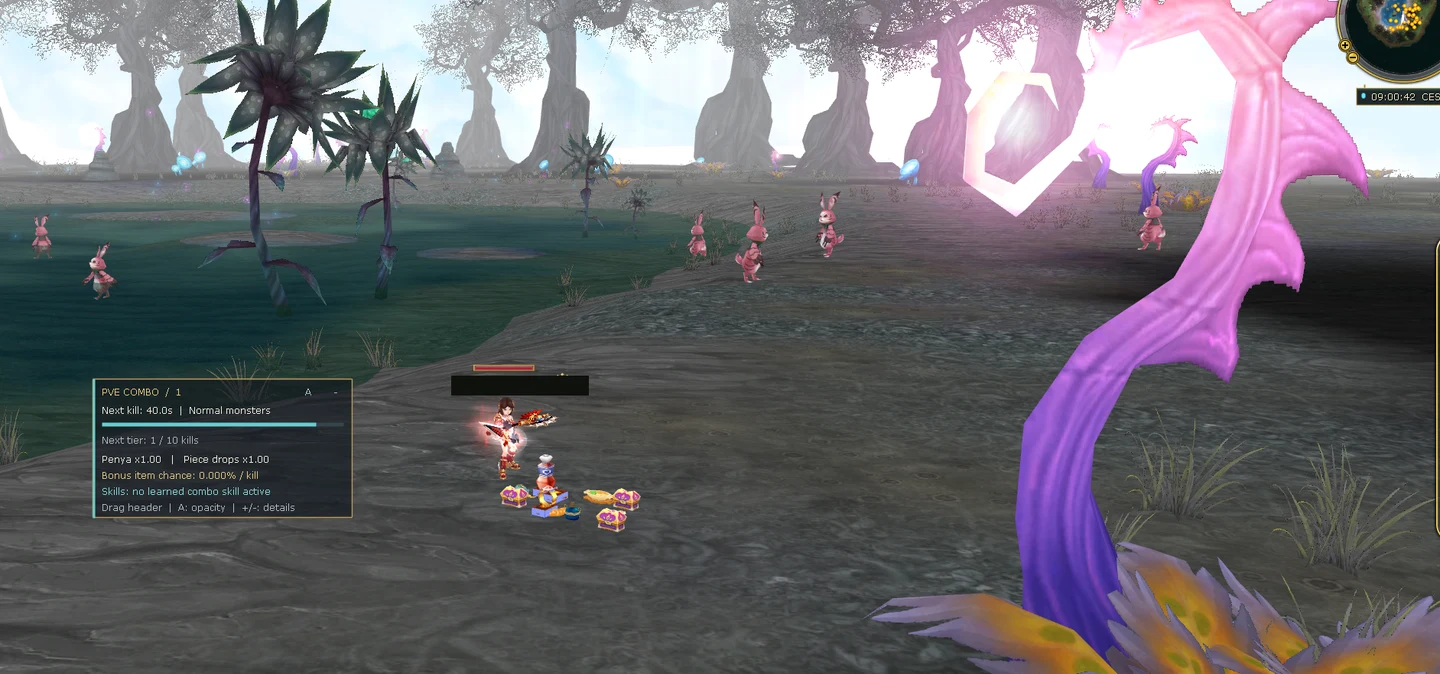
The PvE combo is a kill streak, not an extra attack rotation. Keep your pace against eligible world monsters and watch the timer.

Keep your combo alive to earn bonus boxes and benefit from increased Penya and selected material drops, depending on your combo tier and farming area. Turn sustained monster hunting into more rewarding progress.

Your short guide

  1. Fight eligible world monsters.
  2. Continue your kill streak before the timer expires.
  3. Watch your current combo stage in the HUD.

Real in-game capture to follow

Colosseum

Take on escalating waves and bosses with your party.

Explore & short guide

In the Colosseum, your party faces successive waves and bosses. Roles and preparation give your next attempt a plan.

Your short guide

  1. Gather your party and assign roles.
  2. Prepare for successive waves.
  3. Adapt your strategy to the next boss.

Progression · Chapter 01

Find something worth building.

Your next drop can become more than something to sell. Weapon rarity and equipment mastery give suitable items a longer-term goal, while Legend R1 marks a separate milestone for your character.

WEAPON / ITEM RARITY

Build on the equipment you love.

Give your favourite equipment a next step without losing its history.

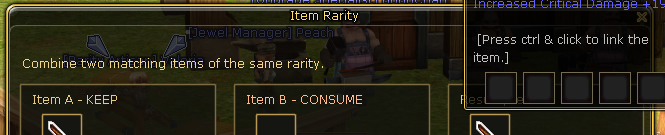
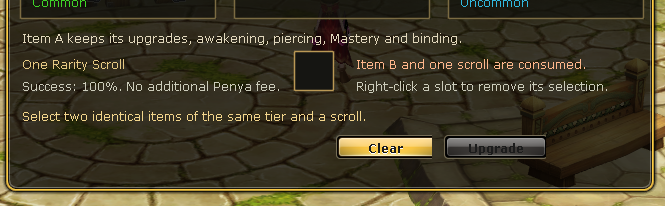
A matching find can become part of your equipment’s next chapter. At the Rarity Artisan, combine suitable matching items and a Rarity Scroll to develop your chosen piece. The KEEP item retains its upgrades, awakening, piercing and mastery — building on the equipment you have already invested in. Inspect the preview and conditions before confirming.

  1. KEEPChoose your favourite
  2. CONSUMEMatching copy + scroll
  3. PREVIEWInspect the result
Understand rarity

At the Rarity Artisan, eligible equipment gets a longer-term development goal. The KEEP item retains upgrades, awakening, piercing and mastery. A separate copy of the same base item and rarity in CONSUME, plus a Rarity Scroll, supply the attempt’s materials. Review the preview and conditions before developing equipment you have already invested in.

Your short guide

  1. Place your favourite item in KEEP and the matching copy in CONSUME.
  2. Add the required Rarity Scroll.
  3. Review the preview, materials and conditions before confirming the attempt.

KEEP, CONSUME and scroll · the ingredients for your rarity attempt.
Review properties and materials before your rarity attempt.
  • Common
  • Uncommon
  • Rare
  • Epic
  • Legendary
  • Valorian
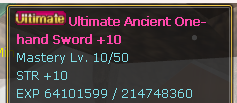
Weapon mastery · level and item EXP in the tooltip.

Weapon Mastery

The weapon you fight with builds its own experience.

Explore & short guide

Your equipped weapon earns its own item EXP in eligible PvE combat. Weapon mastery is separate from character experience.

Your short guide

  1. Equip the weapon you want to develop.
  2. Fight eligible PvE enemies.
  3. Check mastery level and item EXP in its tooltip.
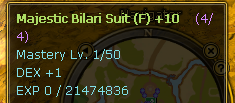
Suit mastery · its own progression and item EXP.

Suit Mastery

Your equipped suit develops its own mastery.

Explore & short guide

Your equipped suit has its own item EXP and mastery. It progresses through eligible incoming PvE damage, not a second weapon EXP bar.

Your short guide

  1. Wear the suit you want to develop.
  2. Its progress comes from eligible PvE combat.
  3. Check mastery level and item EXP in its tooltip.
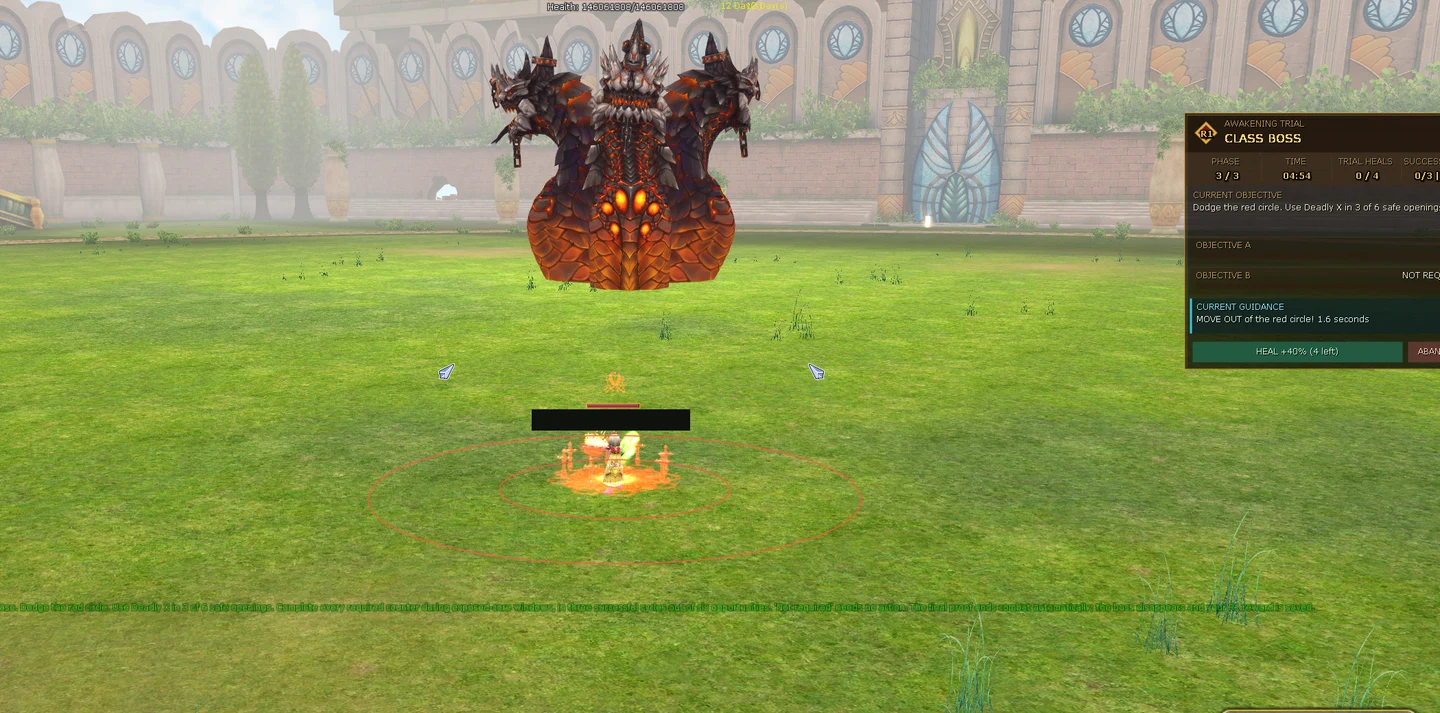
Legend R1 · your personal trial against your class boss.

Legend R1

Prove your class mastery in a personal trial.

Explore & short guide

Legend R1 is character progression, not item EXP. A personal class trial marks a new milestone for your hero.

Your short guide

  1. Check the requirements for your Legend trial.
  2. Prepare your equipment and playstyle for your class boss.
  3. Take on your personal trial.

02PvP

Find your fight.

Choose focused Ranked 3v3, the chaos of Free for All or a shared victory in Team Deathmatch. Guild Siege and Territory battles give your guild a common objective; voluntary Open PK and bounties bring tension to the open world throughout the week. Find your mode and follow the announcements for scheduled events and Bounty Hour bonuses.

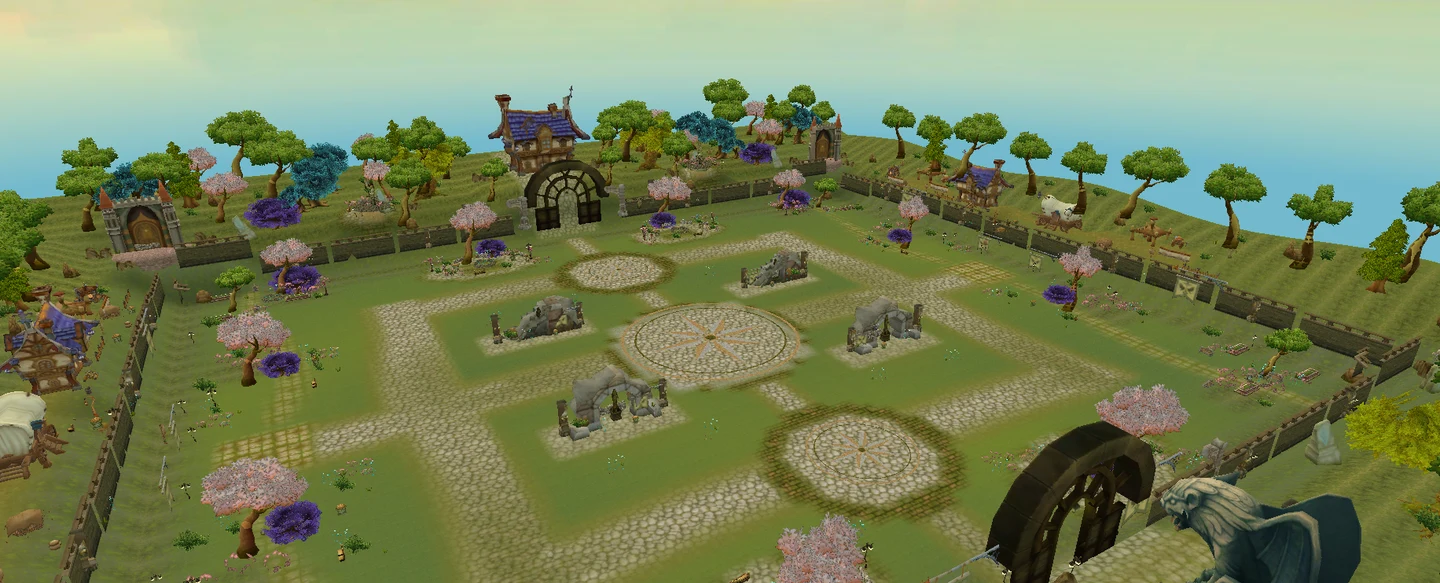
Madrigal Citadel · arena preview from the editor.

GUILD TERRITORIES

A territory to call your own.

Turn your guild’s strength into a shared territory objective.

In Madrigal Citadel, clear roles and shared timing turn individual strength into a guild plan. Choose your routes, push together and make each control point a common objective.

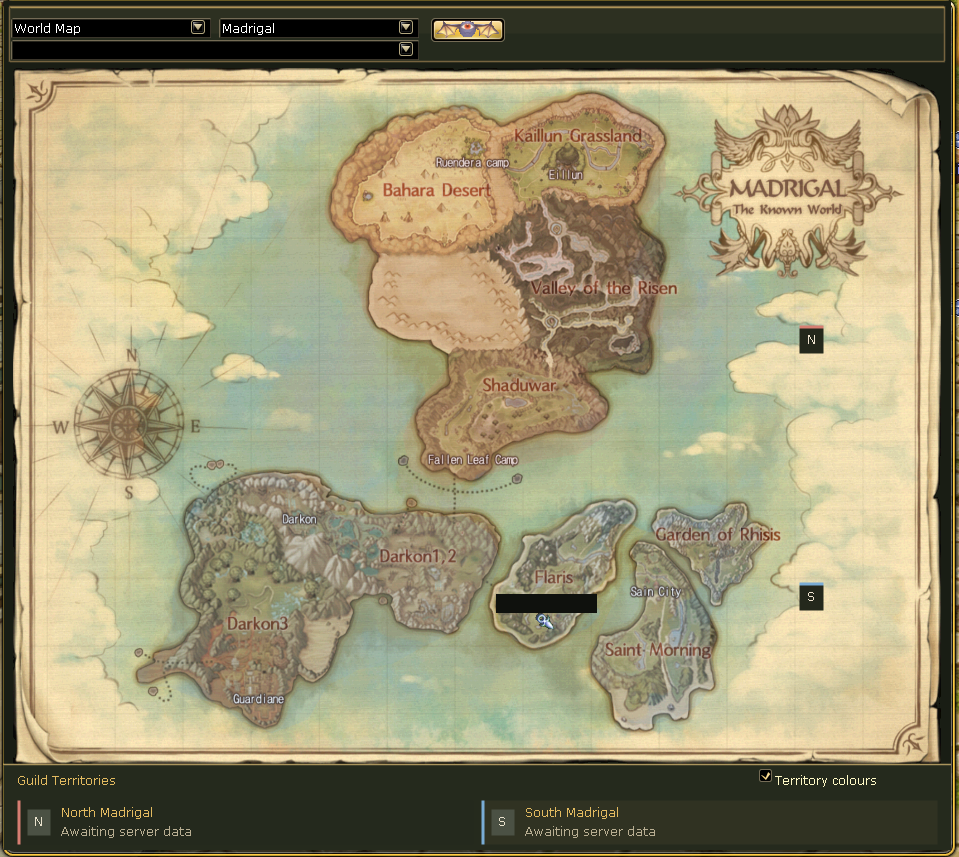
North and South Madrigal · two territories on the world map.

NORTH / SOUTH MADRIGAL

Two territories. One Citadel.

North and South are separate territories. Both battles take place in the same arena — not on two different maps.

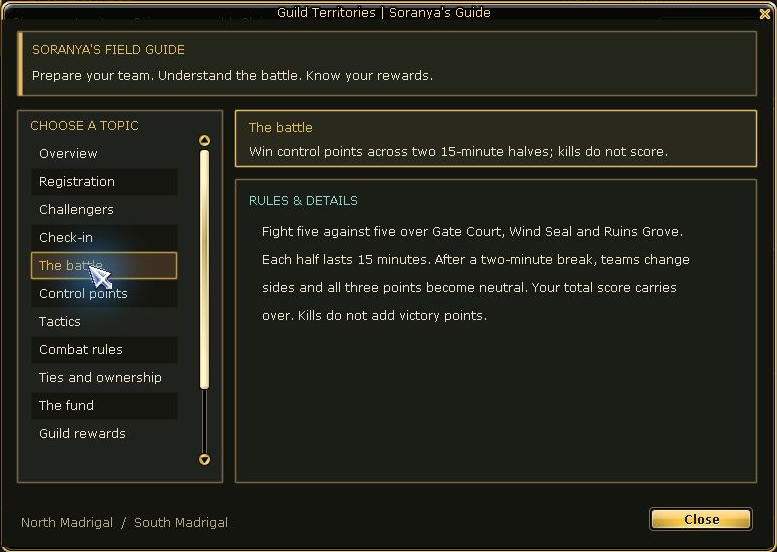
Guild Territories · rules and battle flow in the in-game guide.
Roster, check-in and battle flow
5v5
Fixed guild roster
3
Control points
2 × 15
Minutes · side swap

Guild Territories combines a fixed five-player roster with three control points. Two halves and a side swap put routes, roles and shared decisions at the centre.

Your short guide

  1. Form a fixed roster of five distinct guild members.
  2. Follow registration and check-in for your scheduled battle.
  3. Coordinate A, B and C through two halves with a side swap.

PVP EVENT BOARD

Competition needs context.

Six more ways to compete. Open World PK is available throughout the week. Dates and signup windows for scheduled modes, plus Bounty Hour bonus windows, are announced in the event schedule.

  1. 01Choose a mode
  2. 02Check entry
  3. 03Follow the schedule
01

Free for All

Every opponent is a rival. Make your own mark.

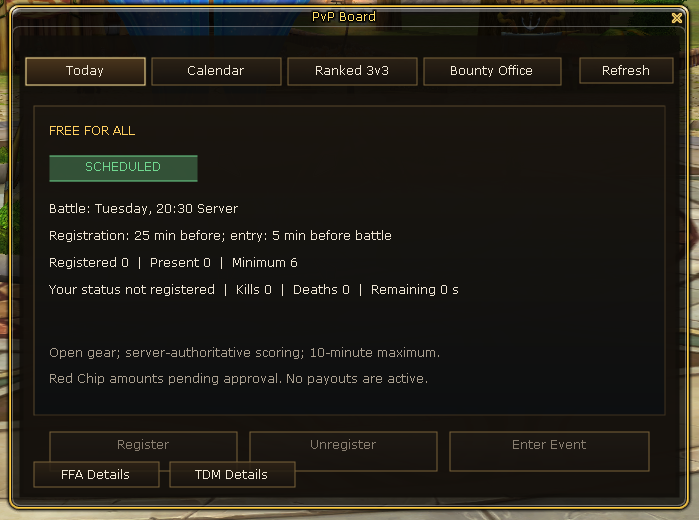
Free For All · the signup interface for your next round.

What is it? How do I join?

Free For All puts you on your own: every opponent is a rival. Positioning and choosing your moment matter.

Your short guide

  1. Check the announced FFA round and its entry conditions.
  2. Register during the signup phase.
  3. Keep opponents, positioning and the round objective in view.

When? FFA dates and signup windows will be announced in the event schedule.

02

Team Deathmatch

Win fights together, not just beside one another.

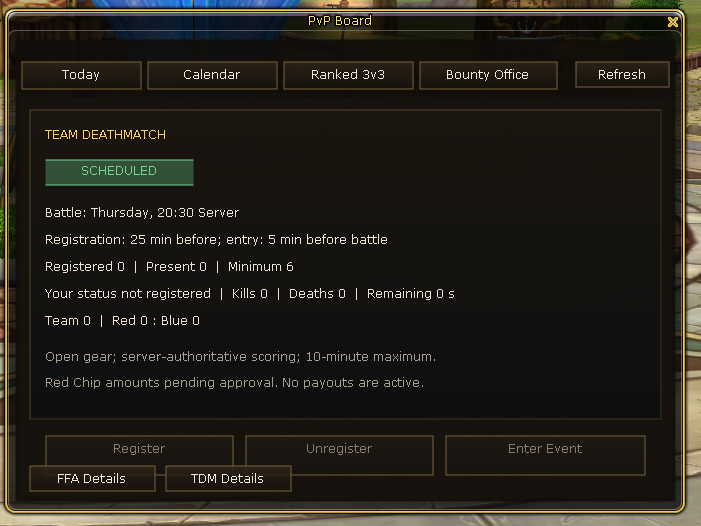
Team Deathmatch · head into your next round together.

What is it? How do I join?

Team Deathmatch turns individual fighters into a team. Support each other, stick together and play for a shared result.

Your short guide

  1. Check the announced TDM round and its entry conditions.
  2. Register during the signup phase.
  3. Coordinate your approach with your assigned team.

When? TDM dates and signup windows will be announced in the event schedule.

03

Ranked 3v3

Build a season record in focused three-versus-three competition.

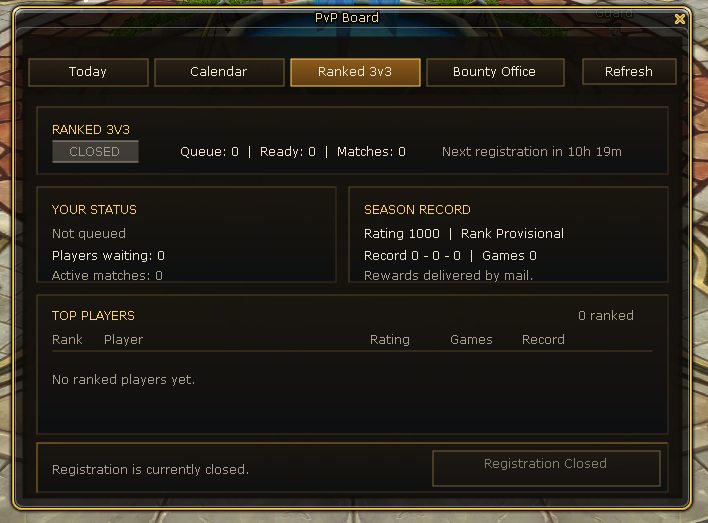
Ranked 3v3 · queue, season record and your personal standing.

What is it? How do I join?

Ranked 3v3 focuses competition on small teams and a season record. Every role matters — this mode is specifically three versus three.

Your short guide

  1. Check the season and entry conditions.
  2. Use Ranked signup when it is available.
  3. Play as a three-player team for your match result.

When? Season start and Ranked availability will be announced with the season plan.

04

Bounty / Open World PK

Choose the risk of open PvP and follow wanted contracts.

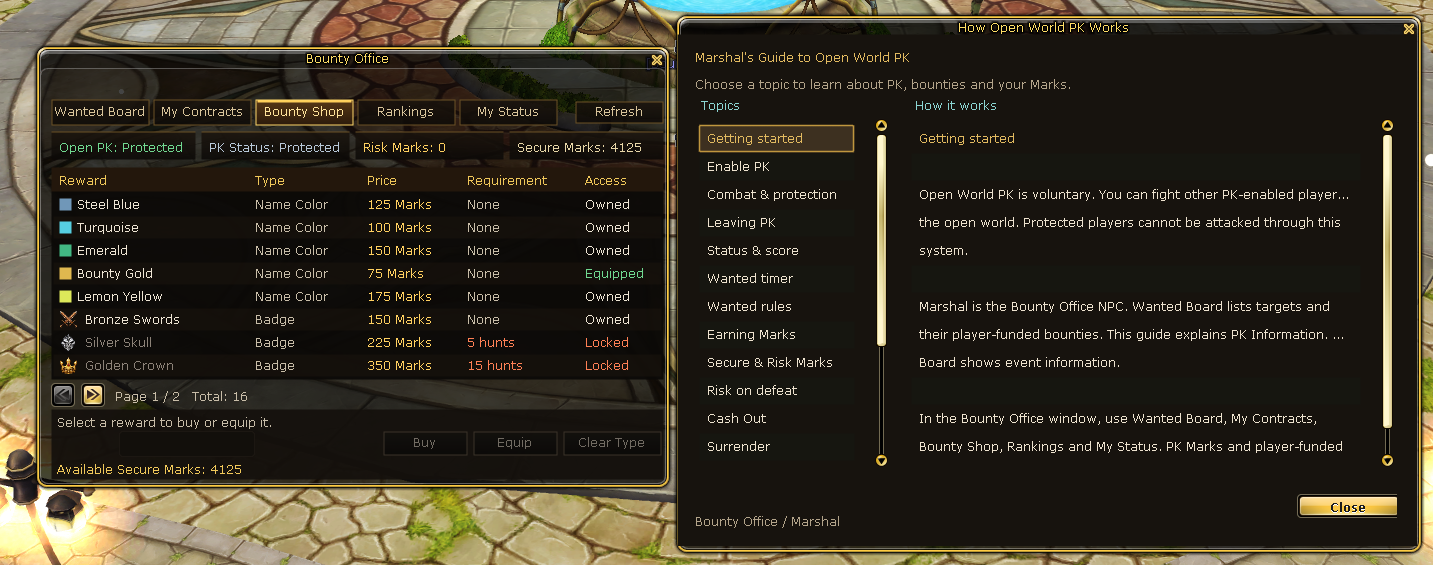
Bounty Office · rewards and guidance for voluntary Open PK.

What is it? How do I join?

Open World PK — available throughout the week

Opt into Open World PK and fight other PK-enabled players outside protected areas. Hunt Wanted players, compete in the rankings and manage your bounties at Marshal — without waiting for a scheduled event.

Bounty Hour — scheduled hunts, greater rewards

Bounty Hour is a scheduled bonus window for Open World PK, not a separate game mode. During the event, eligible system PK Mark rewards are doubled. Player-funded bounty payouts remain unchanged, and the normal reward caps and fair-play rules still apply. Open World PK remains available outside these bonus hours.

Your short guide

  1. Read the Open PK rules and risks.
  2. Check your PvP status and available bounty targets.
  3. Choose a target and plan your hunt.

When? Open World PK is available throughout the week. Bounty Hour bonus windows are announced in the event schedule.

05

Guild Siege

Bring your guild’s coordination to a separate siege competition.

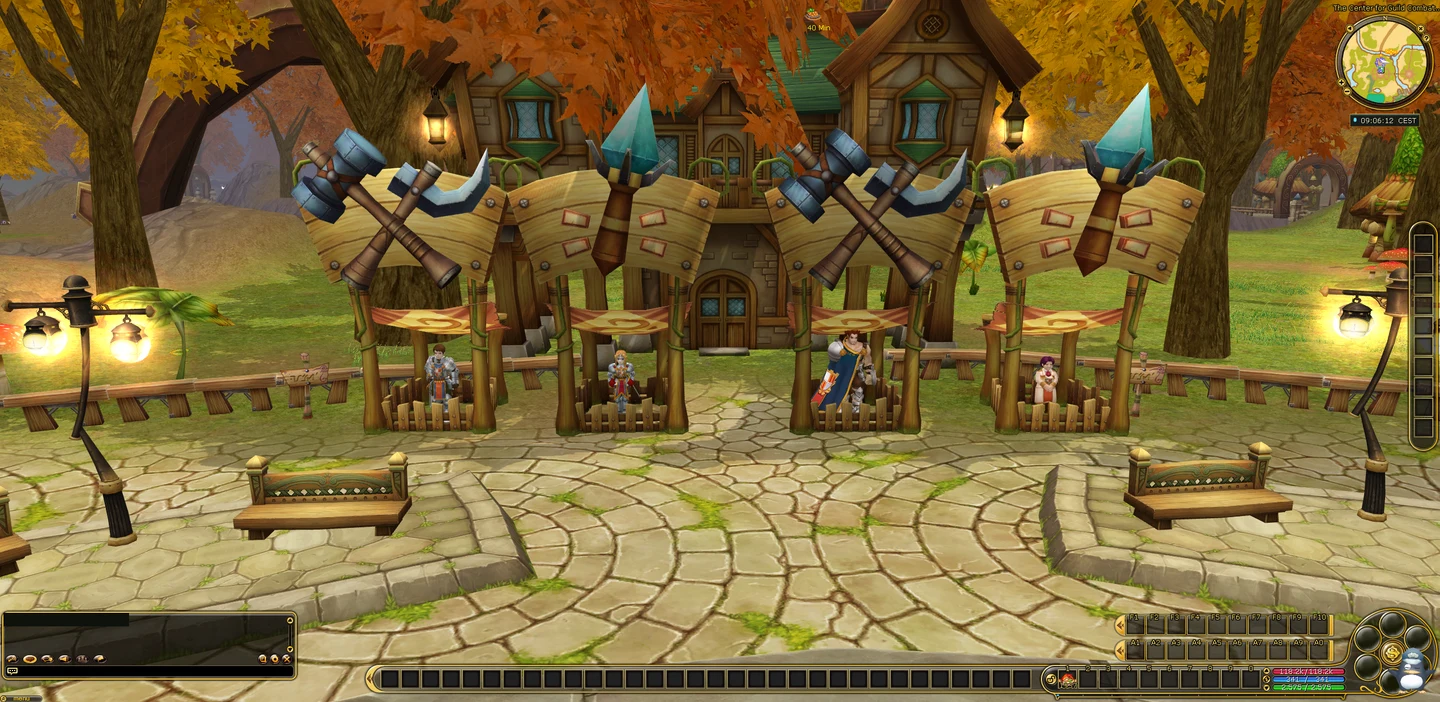
Flarine · a meeting place in Madrigal.

What is it? How do I join?

Guild Siege is a separate guild competition, distinct from Guild Territories. It tests how well your guild works together in the scheduled siege.

Your short guide

  1. Plan participation with your guild leadership.
  2. Check registration and conditions for the announced siege.
  3. Coordinate roles and your approach to the battle.

When? Guild Siege dates and signup windows will be announced separately.

06

Rainbow Race

Trade the battlefield for a race through Madrigal.

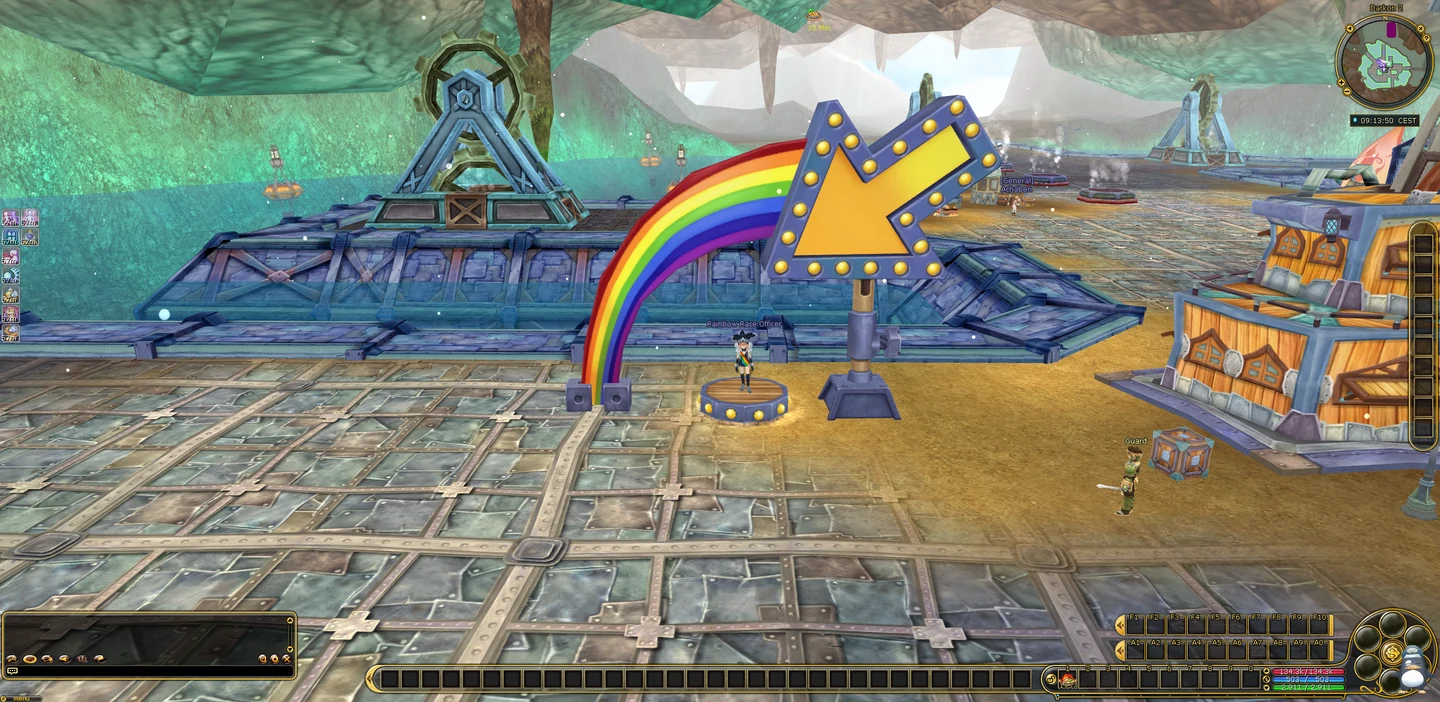
Rainbow Officer · all about Rainbow Race.

What is it? How do I join?

Rainbow Race trades the battlefield for a race through Madrigal. Routes, navigation and tasks along the way give your adventure a different pace.

Your short guide

  1. Check the announced round and its signup.
  2. Follow the race tasks and route.
  3. Plan your way to the next objective.

When? Rainbow Race rounds and their signup windows will be announced in the event schedule.

03Community & Comfort

Build more than a character.

Find people to adventure with through Party and Guild Finder, work toward shared guild objectives and make your personal progress visible in the Record Book. At Red Pang, one player’s Perin contribution can activate a temporary PvE buff for the community — something other adventurers can enjoy too.

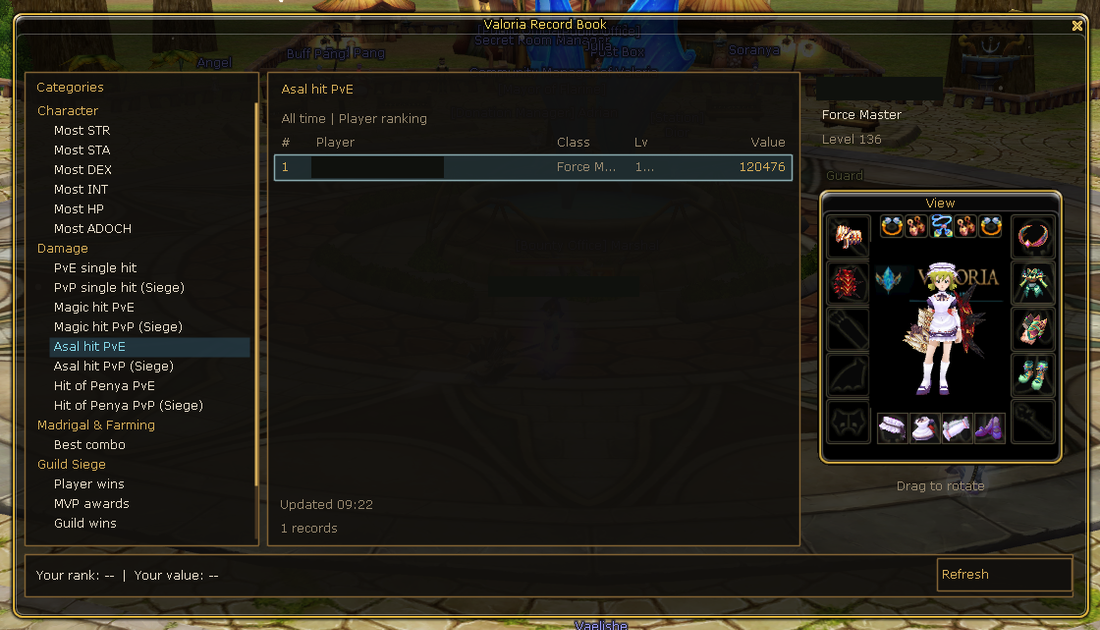
Record Book · explore categories and achievements.

Record Book

Make your progress visible — and find a personal best to pursue.

Explore & short guide

Make your progress visible and give yourself something to beat. Record Book brings supported character statistics, damage records and selected Siege achievements into view through its available categories. Whether you are refining your build or chasing a personal best, your next goal can be more than another level.

Your short guide

  1. Open the Record Book.
  2. Choose a category and explore its entries.
  3. Find your next personal goal.
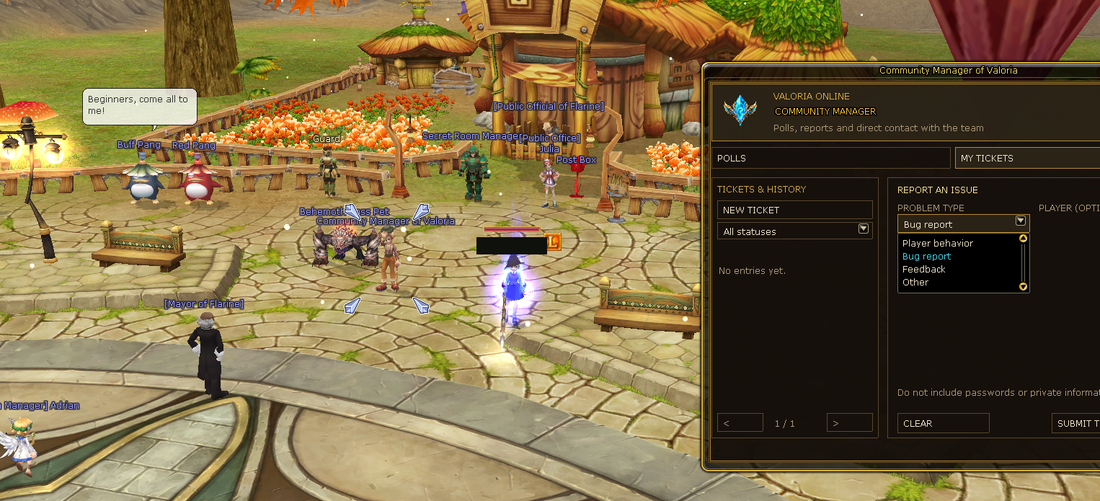
Community Manager · your tickets and feedback inside the game.

Community Manager

Keep polls and your own support tickets within the game.

Explore & short guide

Polls and your own support tickets stay accessible in the game, keeping feedback and replies in one place.

Your short guide

  1. Open the Community Manager.
  2. Choose a poll or your own tickets.
  3. Describe your request and follow the replies.
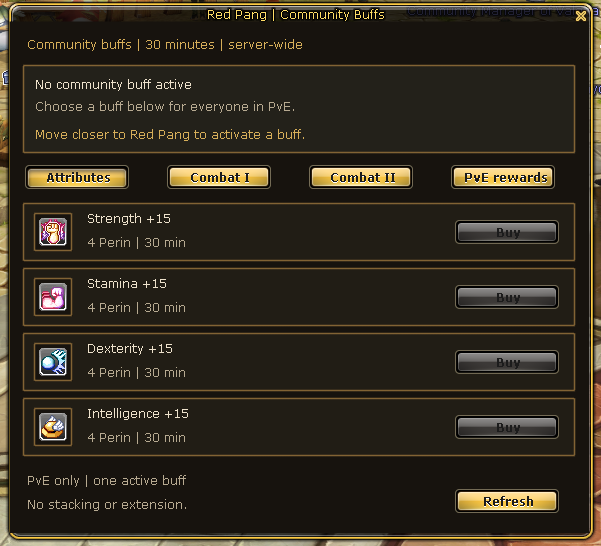
Red Pang · contribute together towards community buffs.

Red Pang Community Buffs

Your Perin contribution can give the community a temporary PvE boost.

Explore & short guide

Your decision can help other players. At Red Pang, one player can spend Perin to activate an offered temporary PvE buff for the community. An individual contribution becomes a benefit other adventurers can enjoy too. Check the effect, price, active buffs and current duration in the game.

Your short guide

  1. Explore Red Pang’s available community buffs.
  2. Check the current contribution and duration.
  3. Choose an eligible buff and check its activation after confirmation.

Comfort · Chapter 03

Spend your time playing.

Find items with inventory search and filters, keep equipment setups ready and choose your next destination in Madrigal Gate. Pickup filters help you decide what to collect; dungeon information and in-game guides help you plan. Less preparation overhead, more time for the adventure itself.

TOOL / 01

Equipment Manager

Prepare equipment and pet loadouts for different adventures.

Explore tool
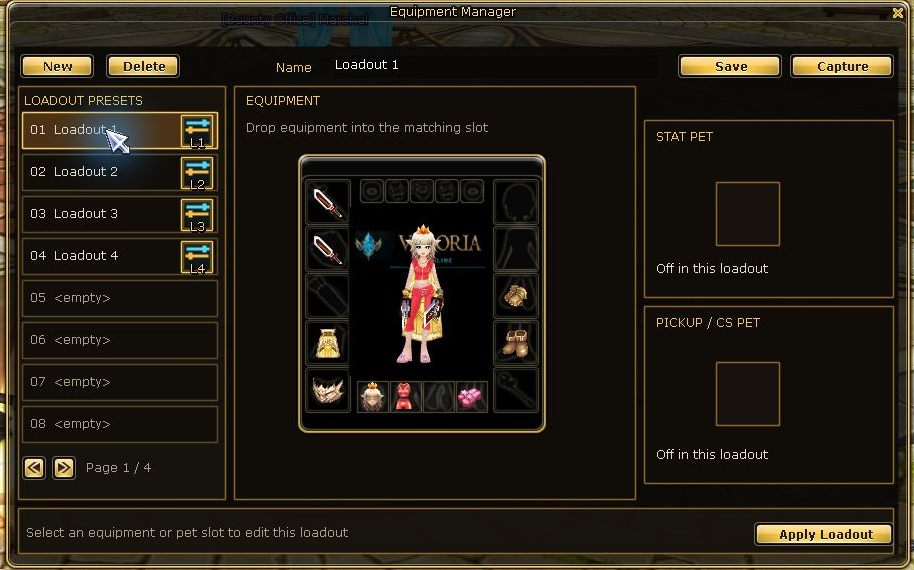
Equipment Manager · equipment and pets organised into loadouts.

Save equipment and pet setups for different adventures. The Equipment Manager organises items you own into loadouts.

Your short guide

  1. Prepare your desired loadout.
  2. Name and save the set.
  3. Apply a saved set; the required items must still be available.
TOOL / 02

Madrigal Gate

Find your next destination in one clear travel window.

Explore tool
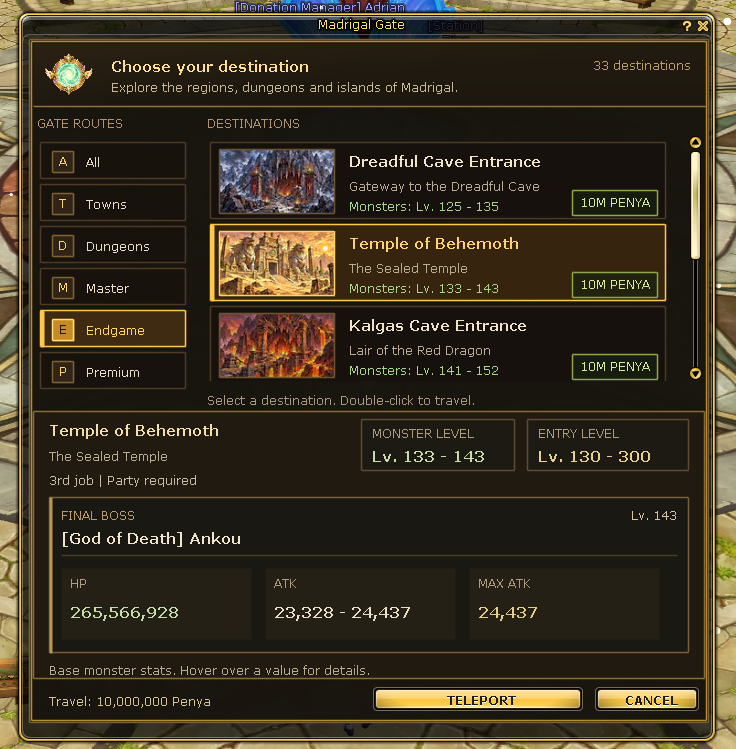
Madrigal Gate · destinations, requirements and travel costs.

Madrigal Gate gathers destinations in one travel interface. Check your destination and travel cost before departing.

Your short guide

  1. Open Madrigal Gate through the menu or U outside chat.
  2. Choose your destination.
  3. Check requirements and cost, then confirm your journey.
TOOL / 03

Party & Guild Finder

Find a party or a guild with the right access policy.

Explore tool
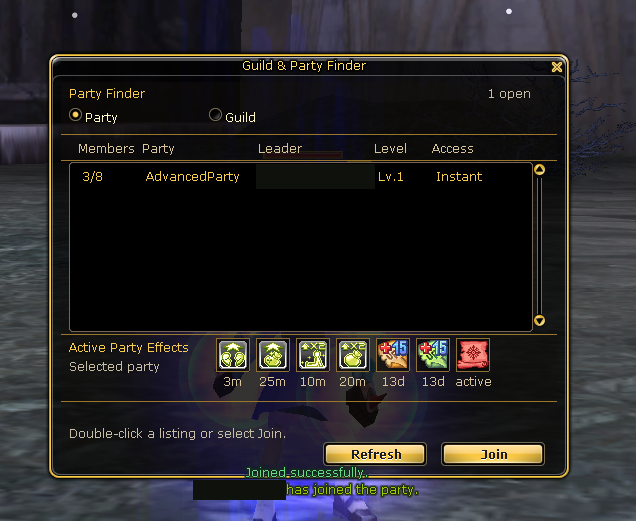
Party Finder · find players for your next adventure.

Find parties and guilds that fit your adventure. Direct entry and join requests are different paths, depending on the leader’s settings.

Your short guide

  1. Choose party or guild listings.
  2. Check requirements and the entry policy.
  3. Join an open listing or send a request.
TOOL / 04

Inventory & Pet Loot Filter

Keep inventory and pickup preferences organised.

Explore tool
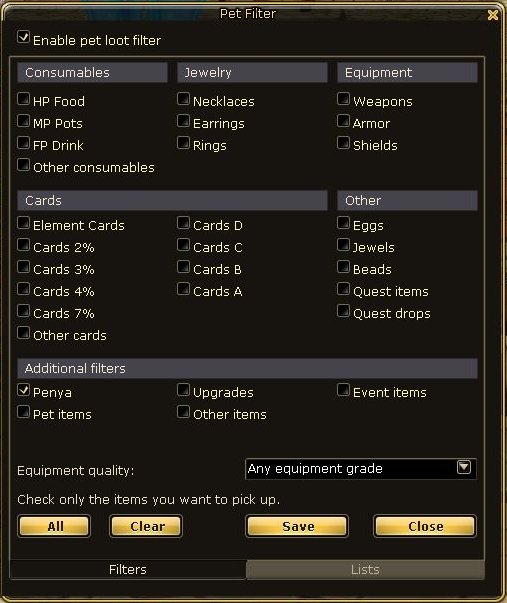
Pickup pet · choose the loot categories that matter to you.
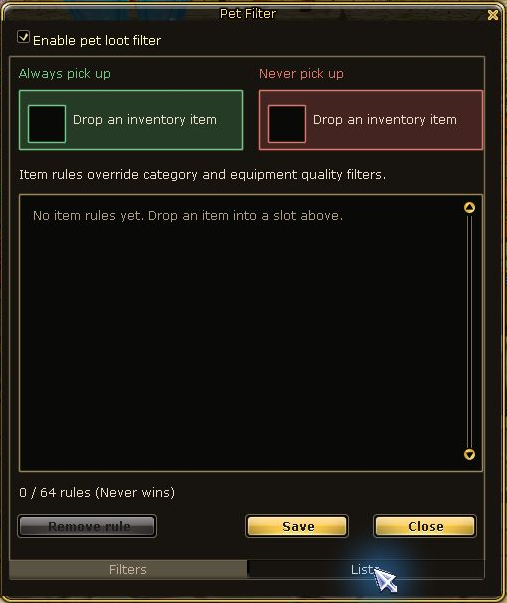
Always and Never lists · your specific loot exceptions.

Inventory and pickup-pet filters provide clear categories and lists. Always and Never exceptions help organise loot deliberately; Never takes priority.

Your short guide

  1. Choose your desired loot categories in Filters.
  2. Maintain specific exceptions in Lists.
  3. Review your choices; pickup filtering does not automatically sell or delete items.
TOOL / 05

Modern NPC Shop

Browse NPC offers by category instead of searching endless lists.

Explore tool
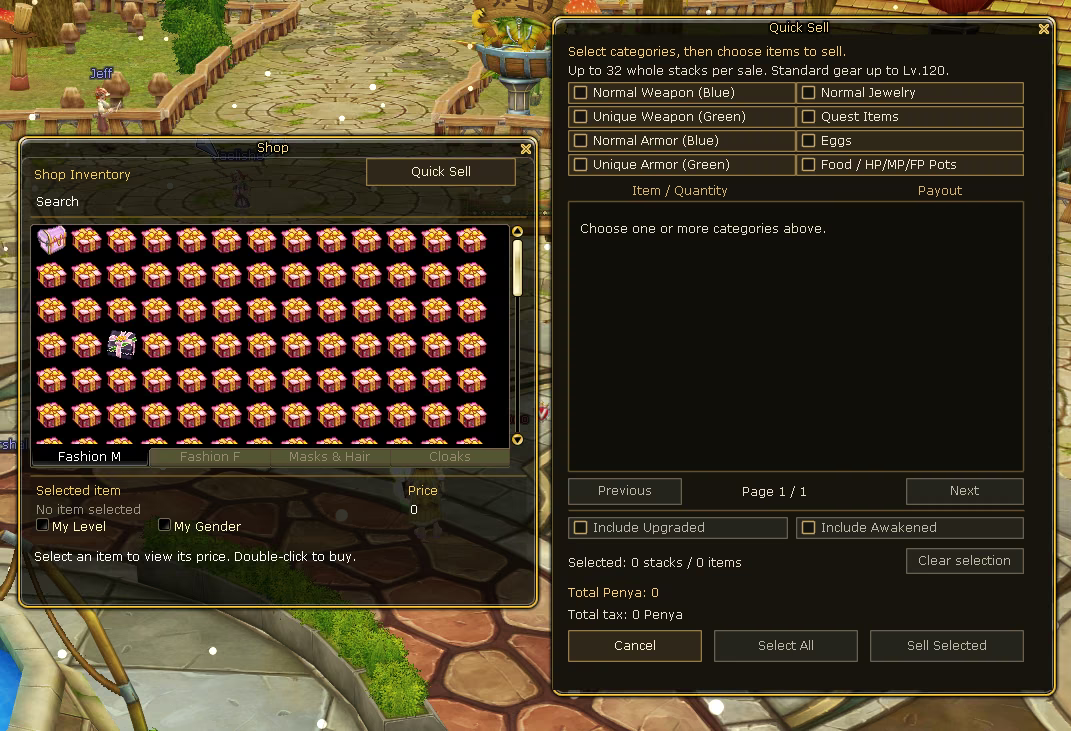
NPC shop · explore offers with search and categories.

A modern NPC shop organises offers by category, making it easier to find items and review price and quantity before buying.

Your short guide

  1. Open a merchant’s shop.
  2. Choose the appropriate category.
  3. Review the item, quantity and price before buying.
TOOL / 06

Quick Job Change

Explore your first class choice before making the switch.

Explore tool
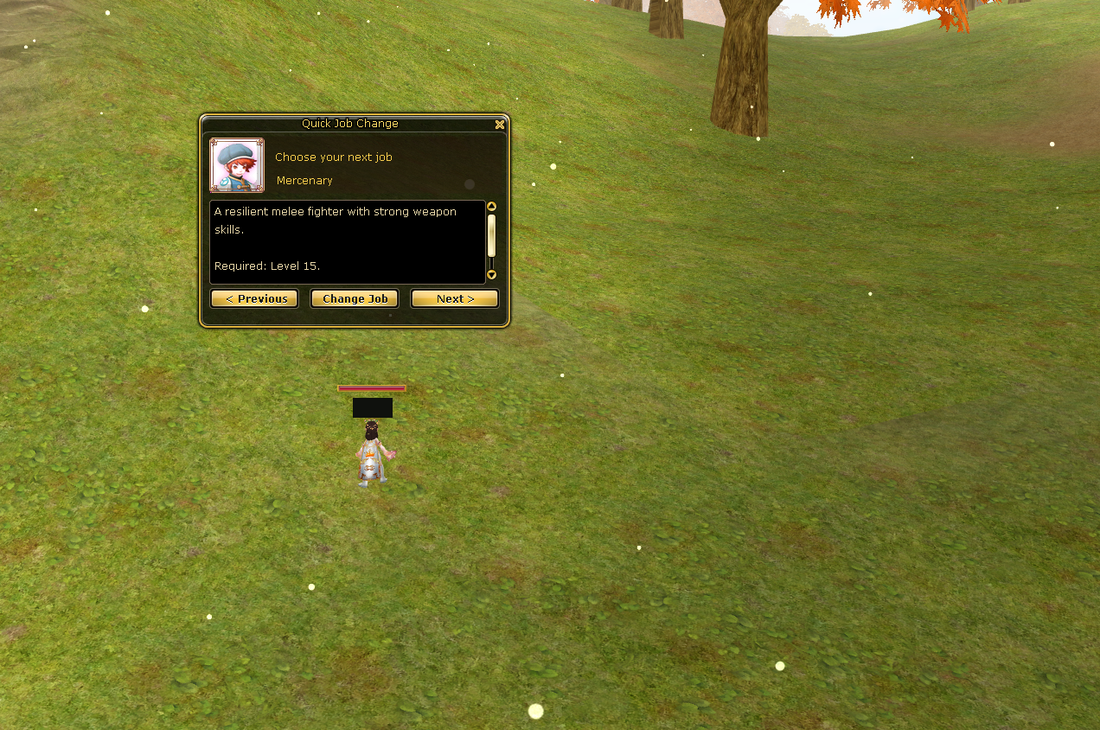
Your first class · compare your options side by side.

Your first class choice gets a clear selection interface. It supports your start without replacing the job change’s requirements.

Your short guide

  1. Meet the requirements for your first job change.
  2. Compare the offered classes.
  3. Review your choice before confirming the change.
TOOL / 07

Resizable Inventory

Fit your inventory view to your screen and keep your items in sight.

Explore tool
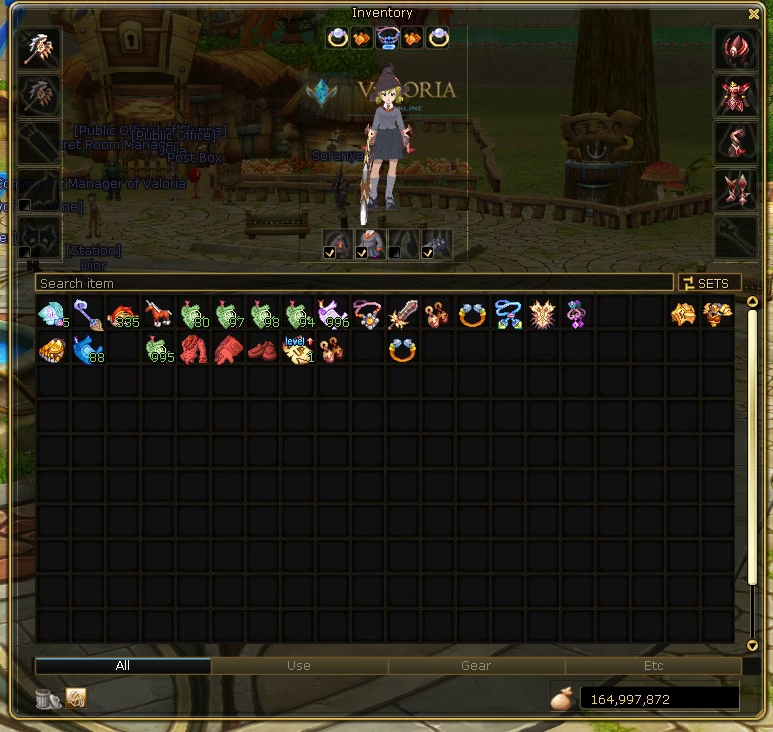
Fit your inventory view to your screen.

A resizable inventory window gives your existing items more room on screen. Search and categories help organise the view. A larger window does not add inventory slots.

Your short guide

  1. Open your inventory.
  2. Adjust the window size to suit your screen.
  3. Use search and categories to find your existing items more easily.

More systems

Small details help build a world.

Find the small helpers for your everyday adventures. Search for a system or choose a category.

6 entries

Box Contents Preview

Inspect box contents before deciding to unpack.

Box previews show possible contents before opening a supported box. Seeing its contents does not let you choose a random drop.

Your short guide

  1. Open a supported box’s preview.
  2. Review possible contents or included packs.
  3. Decide whether to open it or leave the preview.

PvE Tab Targeting

Cycle eligible visible monsters with Tab and Shift+Tab.

Tab targeting cycles eligible visible monsters. It helps select targets; it does not attack automatically.

Your short guide

  1. Press Tab outside text input.
  2. Use Shift+Tab to cycle in the other direction.
  3. Check your target before attacking.

Upgrade & Awakening Chances

Understand procedure-specific upgrade and awakening chances.

Procedure-specific chances give upgrades and awakening more context. A probability explains an attempt; it does not guarantee its result.

Your short guide

  1. Check the specific upgrade or awakening procedure.
  2. Read its displayed conditions and chances.
  3. Decide on the attempt using the current game information.

Couple Progression

Develop a couple’s shared progression while playing together.

Give your time together a shared goal: develop your couple progression and follow your couple EXP together.

Your short guide

  1. Check your couple status and progress.
  2. Play together and follow your couple EXP.
  3. Watch announcements for currently active couple bonuses.

Graphics & Screenshot Options

Choose visual and screenshot settings to suit your hardware.

Choose visual and screenshot settings to suit your computer. These options are not a blanket promise of higher FPS.

Your short guide

  1. Open the graphics and display options.
  2. Adjust visuals to suit your computer.
  3. Choose suitable settings for your screenshots.

Custom Glow & Fashion

Make your character’s glow and fashion your own.

Glow and fashion give your character a personal look. Cosmetic choices are separate from rarity and combat progression.

Your short guide

  1. Explore the available cosmetic options.
  2. Compare the look with your equipment.
  3. Choose the style that suits your character.
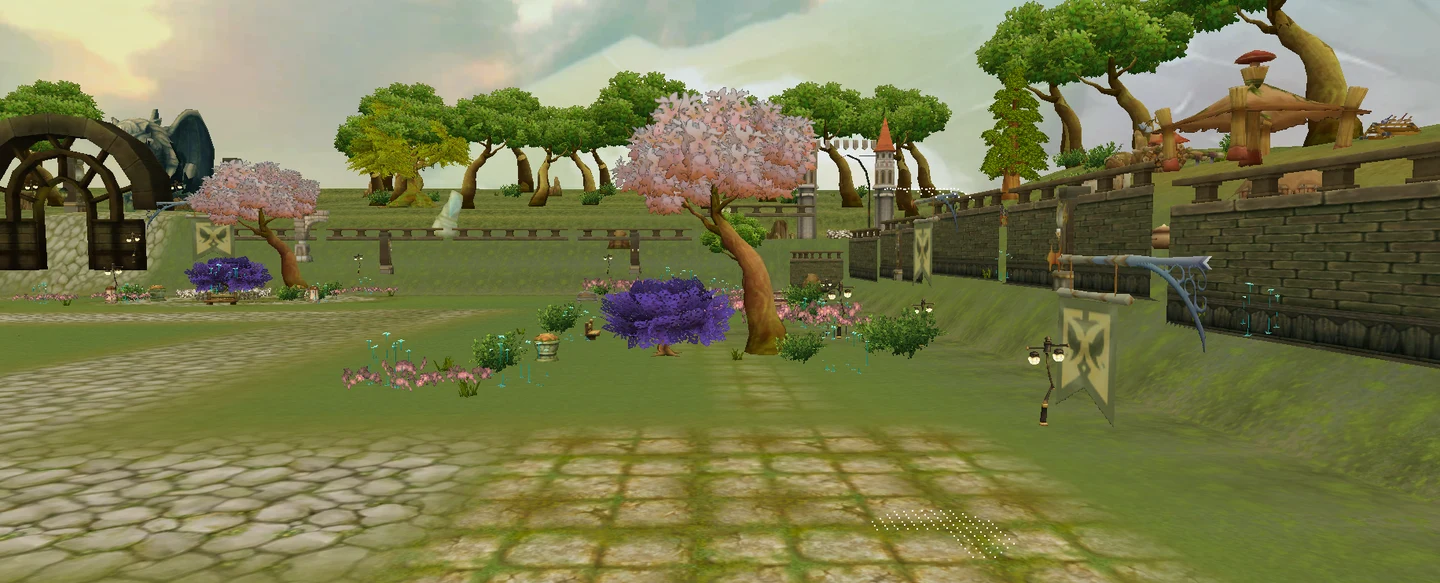
Environment preview from the editor · a look towards the next chapter.

Outlook · beyond Territory V1

The next chapter.

Madrigal should offer shared goals beyond guild battles. Public PvE territory missions are a planned expansion after V1 — not an available activity yet.

The idea behind it

Public PvE territory missions are intended to bring shared objectives to the world beyond guild battles. This expansion is planned for after Territory V1.

The idea

  1. The idea: shared tasks in the open world.
  2. The focus: PvE objectives beyond Citadel battles.
  3. More details will follow as this later chapter takes shape.

YOUR NEXT CHAPTER

What will you pursue first?

An exceptional weapon. A dungeon challenge with friends. Your next arena victory. A territory for your guild. Choose your goal — and begin your story in Valoria. Follow the news while the next steps open.

01

Create an account

Registration is currently closed. Existing accounts can already sign in.

02

Download the client

The client has not been published yet. The download page will provide release information.

03

Start Valoria

At the game launch, start the client and sign in with your Valoria account.